Purpose of Knowledge Article
You need to remove an MFA token from your Google Authenticator without removing and reinstalling the app.
Resolution
| 1 |
|
|
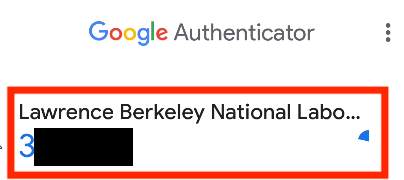
| 2 | Click on the Pencil icon of the MFA you want to delete |
|
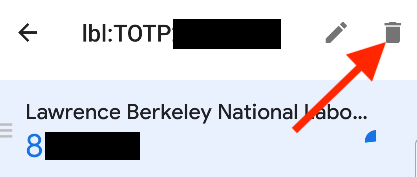
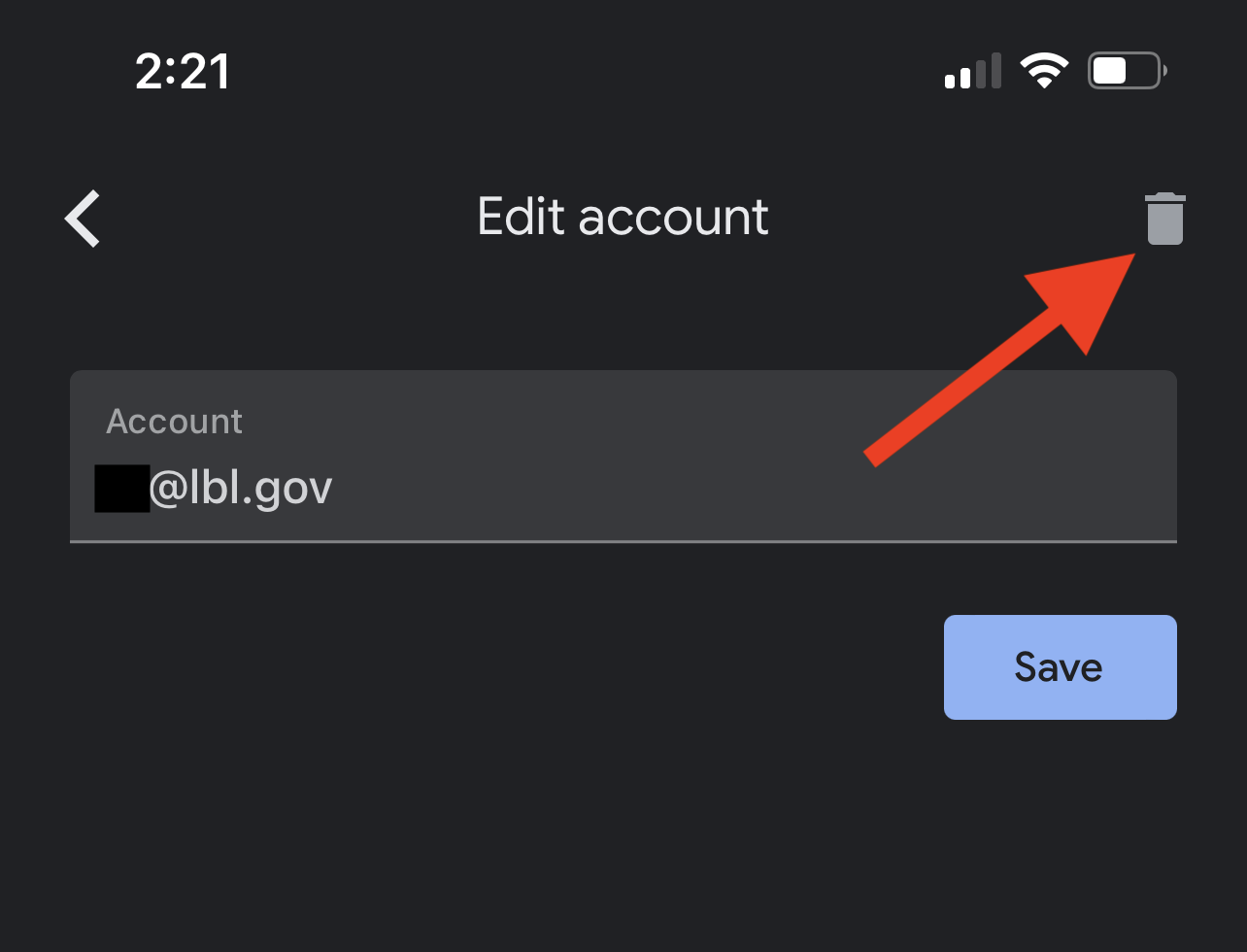
| 3 | Click on the Trash icon |
|
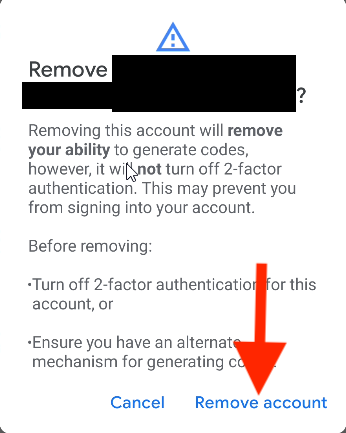
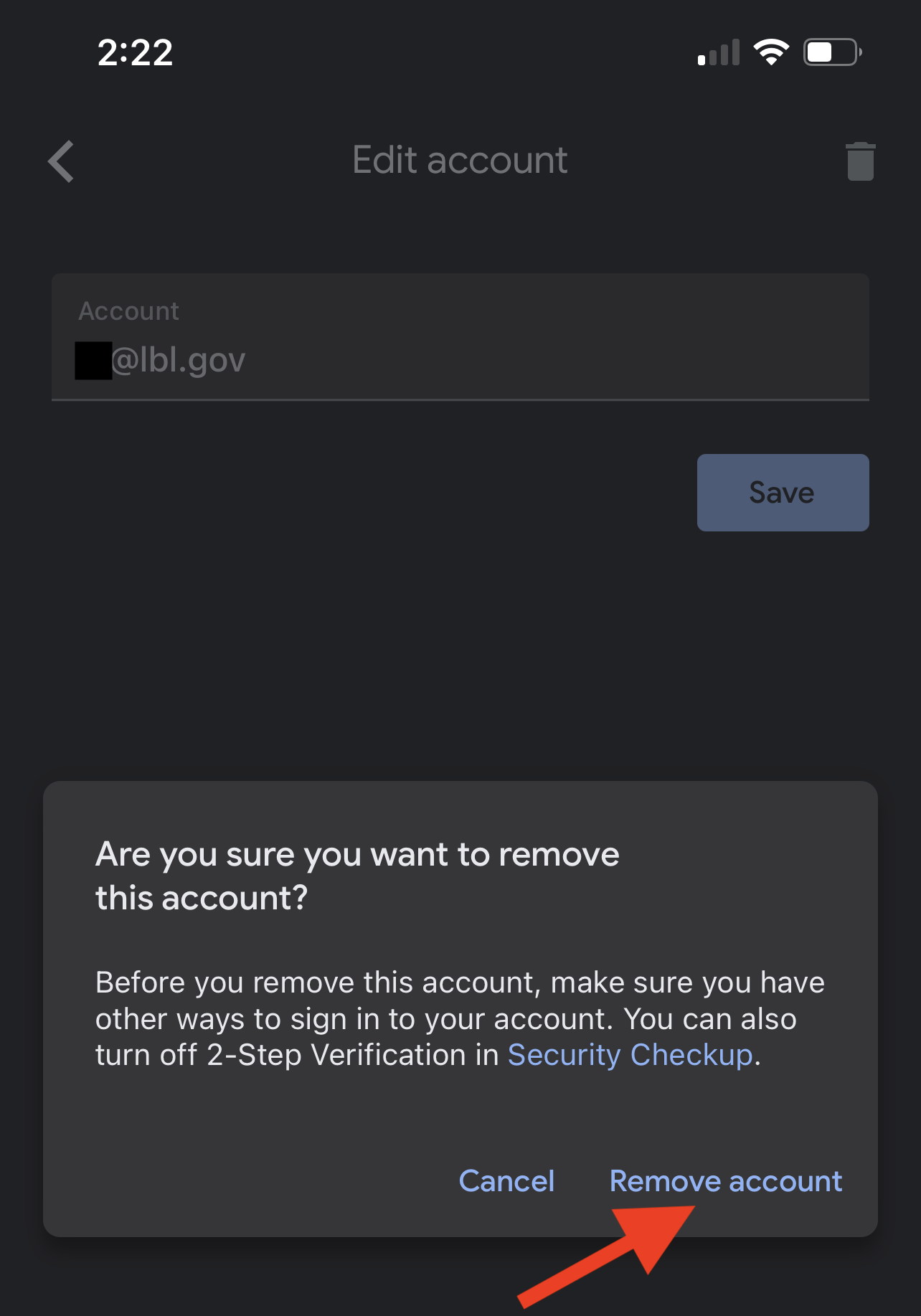
| 4 | Click on Remove account to confirm |
|
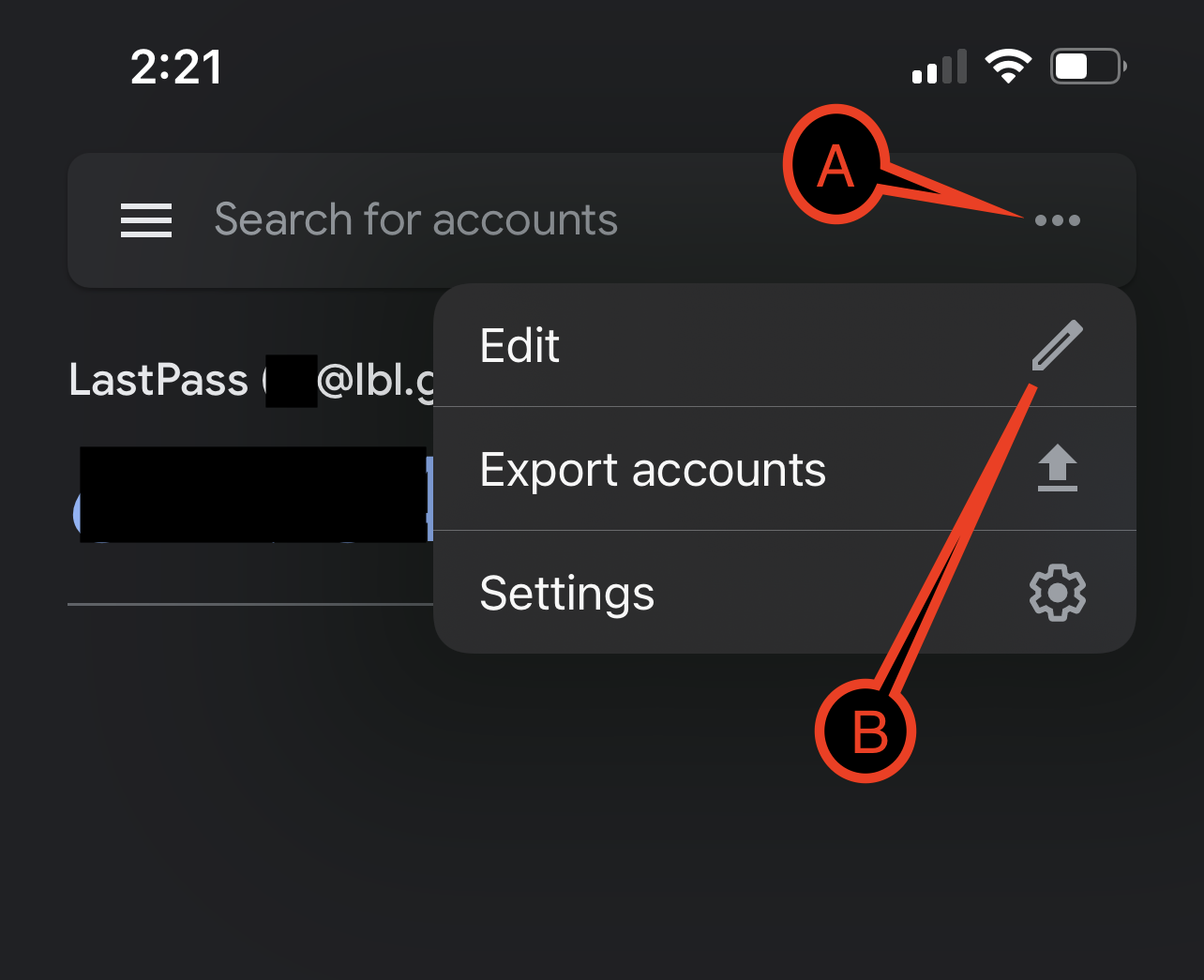
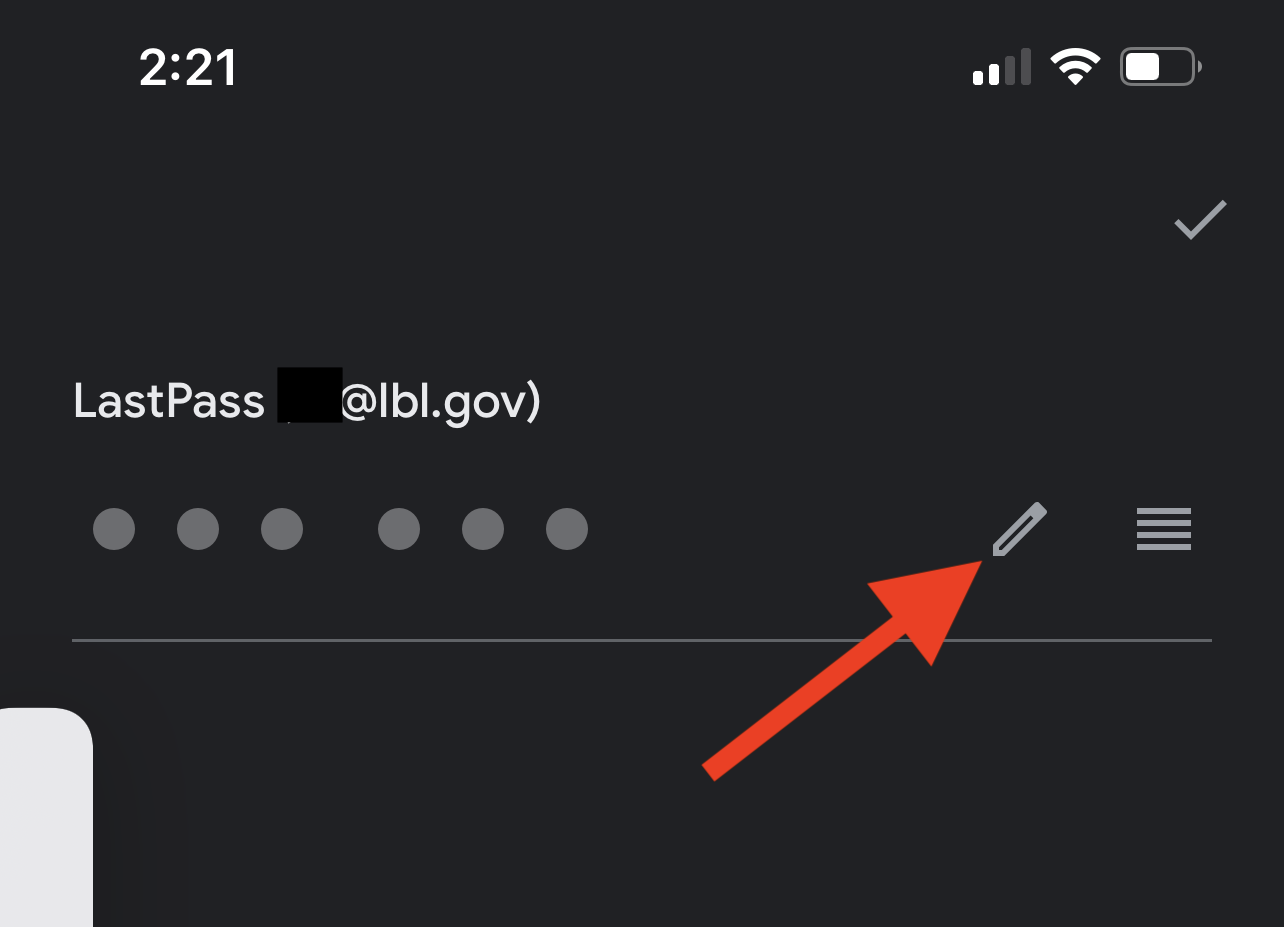
| 1 | Click and hold down on the token you want to delete until it is highlighted and you will see the Pencil and Trash icons on the top right. |
|
| 2 | Click on the Trash icon on the top right. |
|
| 3 | Click Remove account to confirm. |
|