This knowledge article will provide information on how to check a Lab-issued Dell laptop or Apple laptop battery health.
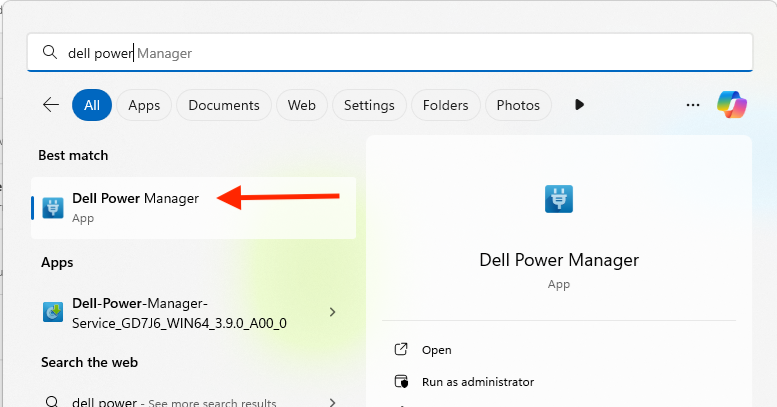
Under your Start Menu button, look for "Dell Power Manager" and open it
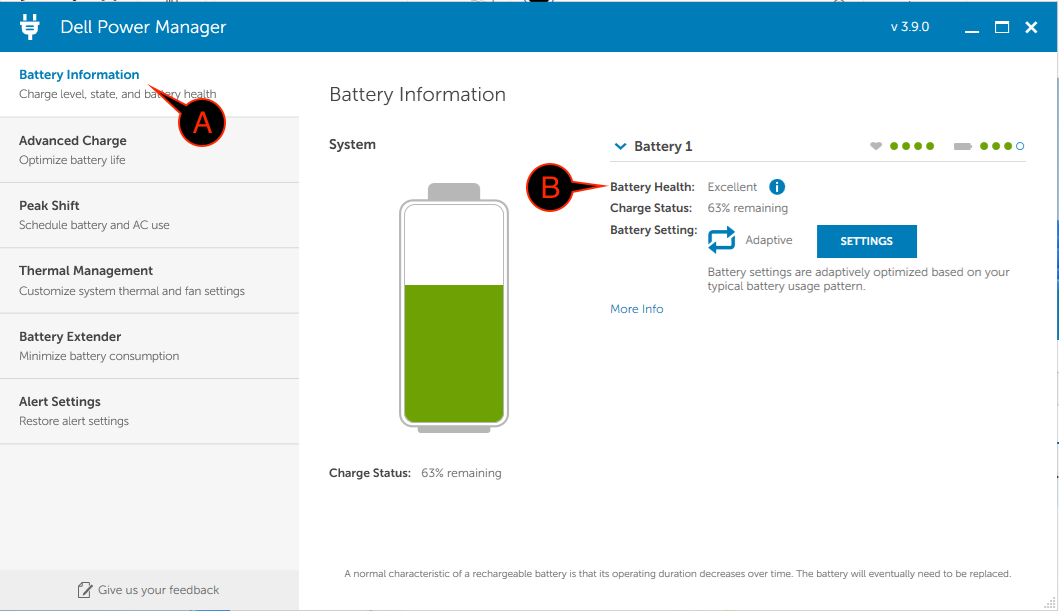
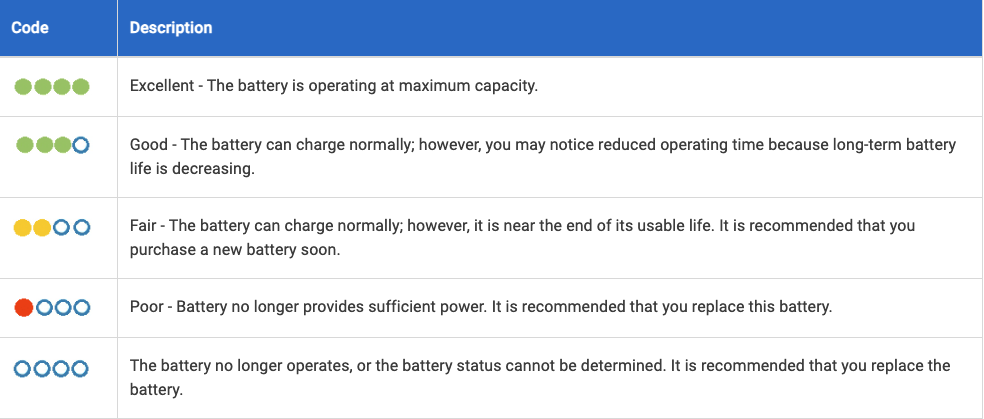
Compare what you see for Battery Health to the chart
Battery health chart
Please note if your battery health shows Fair or below. Contact Lab IT at [email protected] and include:
Please note if your battery health shows Service recommended. Contact Lab IT at [email protected] and include: