Type hostname and hit the enter/return key on the keyboard
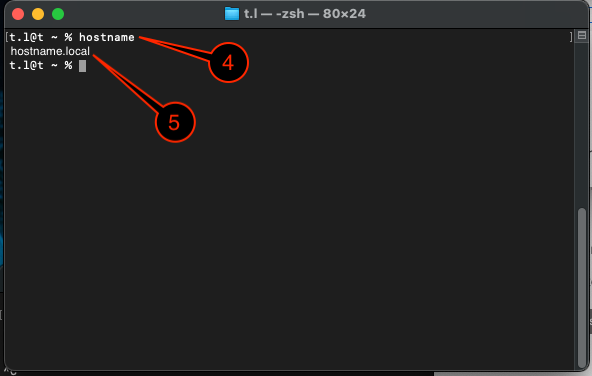
That is the hostname
|
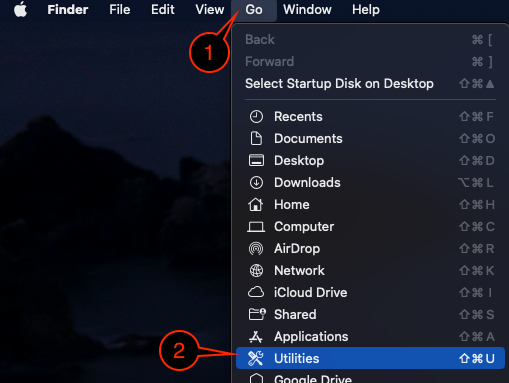
| 1 | On the Finder menu bar, click Go |
|
| 2 | Select Utilities | |
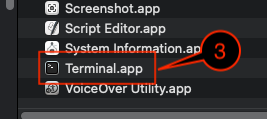
| 3 | Launch the Terminal application |
|
| 4 | Type hostname and hit the enter/return key on the keyboard |
|
| 5 | That is the hostname |
If you are often on the Lab VPN, the hostname may change due to the connection with the Lab VPN. So, if you are having an issue finding the hostname on a service, you will want to rerun the instructions while connected to the Lab VPN and try checking for that hostname. |