Click Accept and it will disappear from the list
It may take a few minutes for the installation to complete
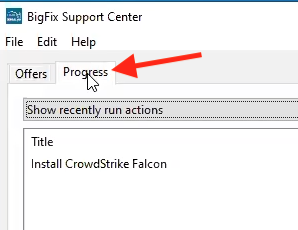
If you would like to see the status, click on the Progress tab
|
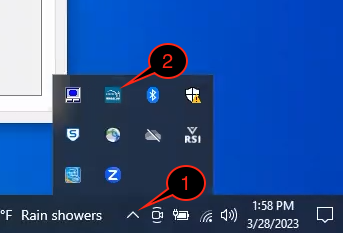
| 1 | Open BigFix from the bottom right of the taskbar icon. You may need to click on the Show Hidden Icons icon |
|
| 2 | Click on the BigFix icon | |
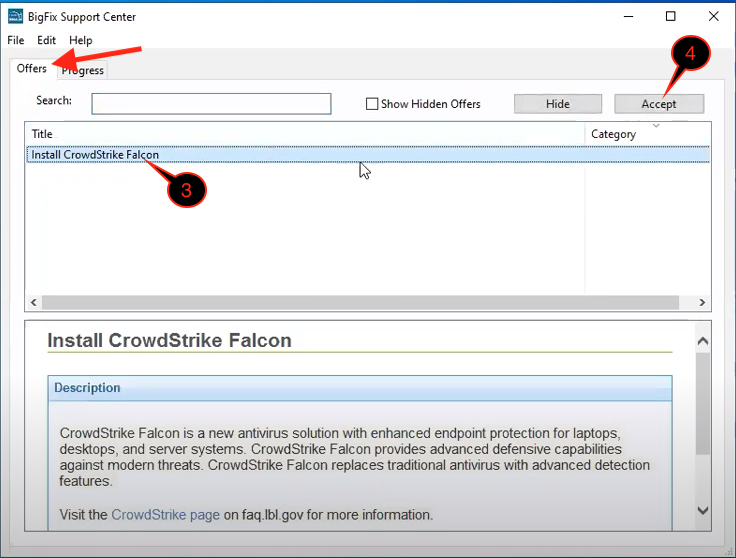
| 3 | Under the Offers tab, which should show by default and select "Install CrowdStrike Falcon" |
|
| 4 | Click Accept and it will disappear from the list It may take a few minutes for the installation to complete
|