Under Wi-fi page:
- Make sure the Wi-Fi is turn on (should be green)
- Click on the
 of the Wi-Fi network you want to forget

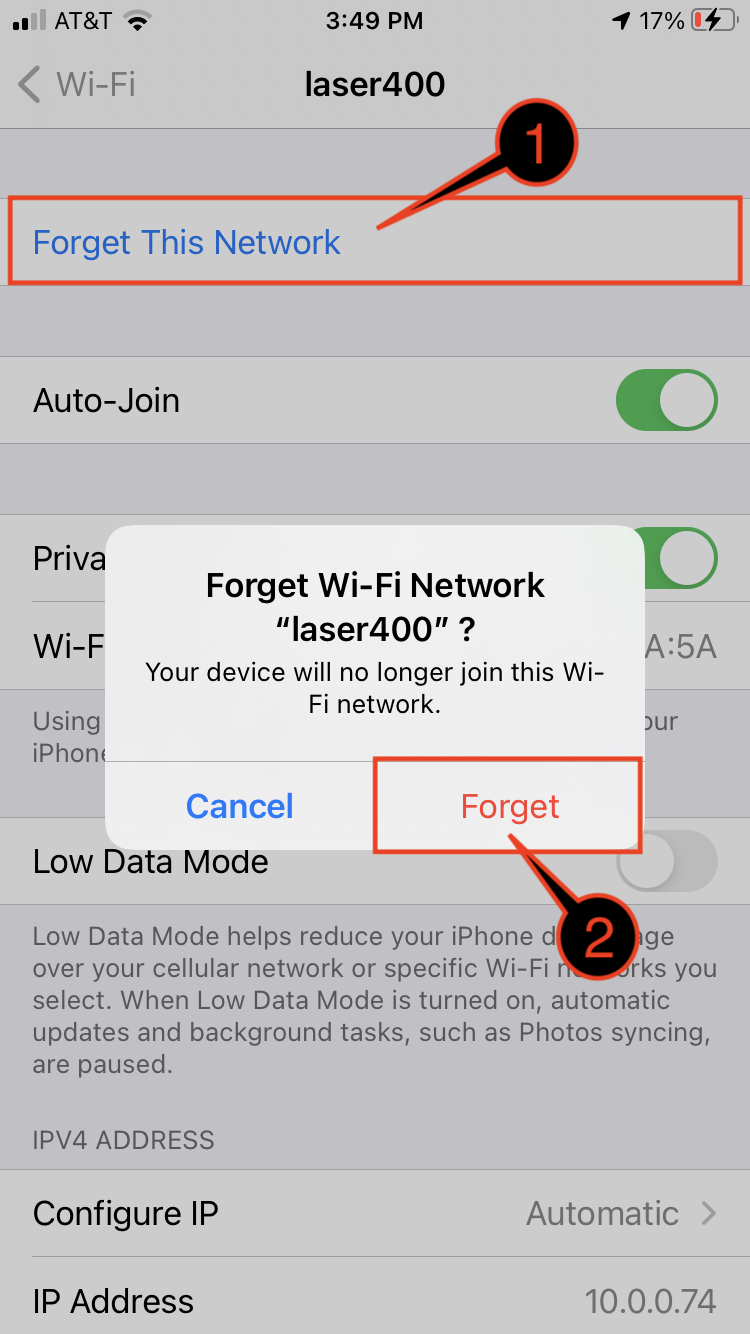
Under the Wi-Fi network page you want to forget:
- Click Forget This Network
Note: if you don't see the option, mean your iOS device no longer has that network saved - You will see forget Wi-Fi Network message, click Forget