| Info |
|---|
We value your feedback. Use this form to tell us about your experience with Passkeys. |
Passkeys replace MFA tokens as the primary way to authenticatemethod of authentication, making it essential to manage them effectively.
You will NOT lose your one-time password properly. No, you are not going to lose your tokens for the foreseeable future, even if you have moved on to using Passkeys.
However, to streamline your login experience and enhance security, you should plan to use your newly minted passkey as your primary method of authentication method.
Since passkeys are stored securely on your device and may sync across devices via cloud services, periodic reviews of your stored passkeys are recommended.
Follow the step-by-step instructions below to manage passkeys efficiently.
Access the Passkey management console here.
...
| id | Passkeys |
|---|---|
| tabLocation | left |
Managing you Passkey
...
| label | Passkey Management |
|---|
...
| Link in New Window | |
|---|---|
|
|
...
|
...
|
Managing your Passkeys
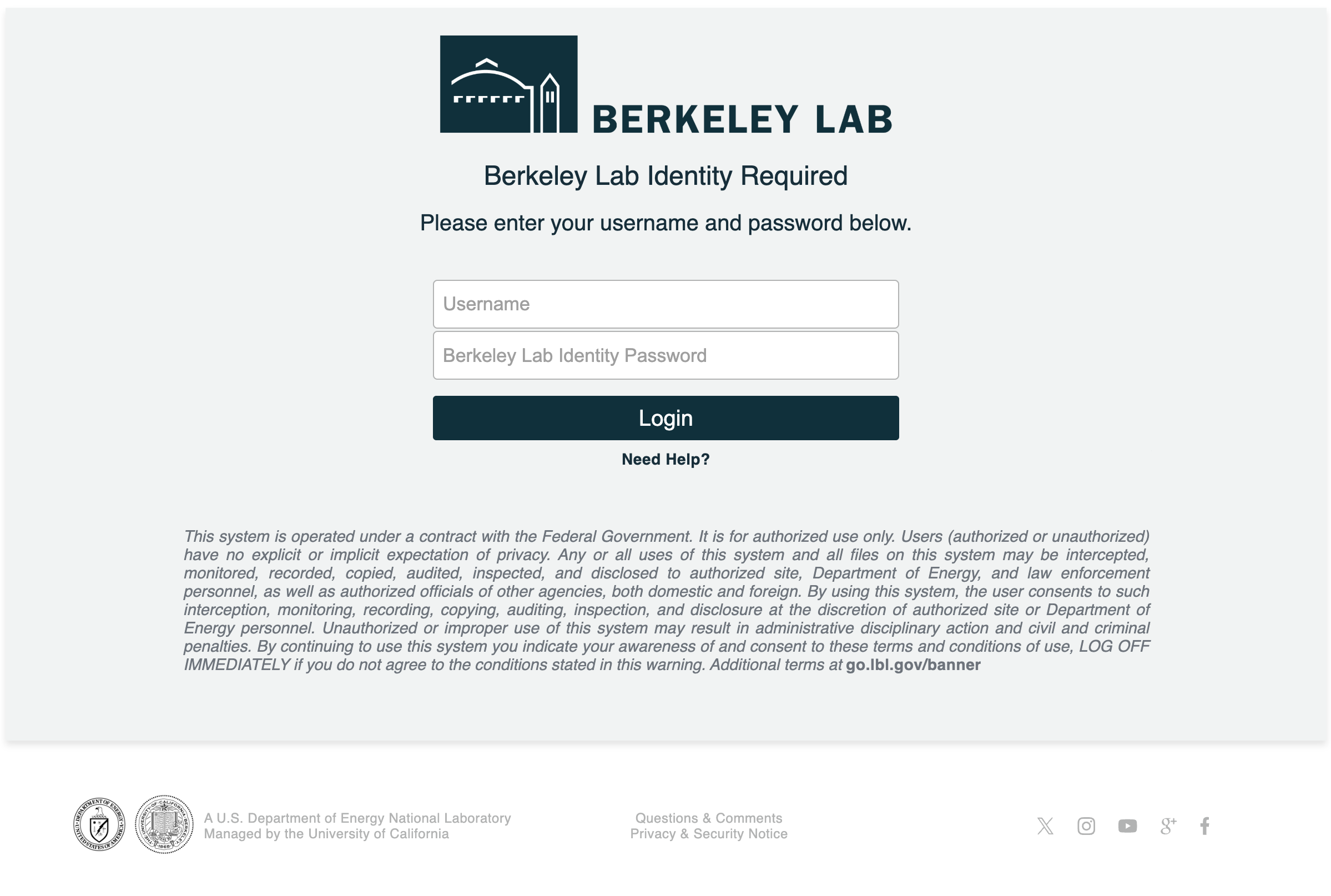
- Enter your Berkeley Lab Identity account
...
- user name and
...
- password then click login
...
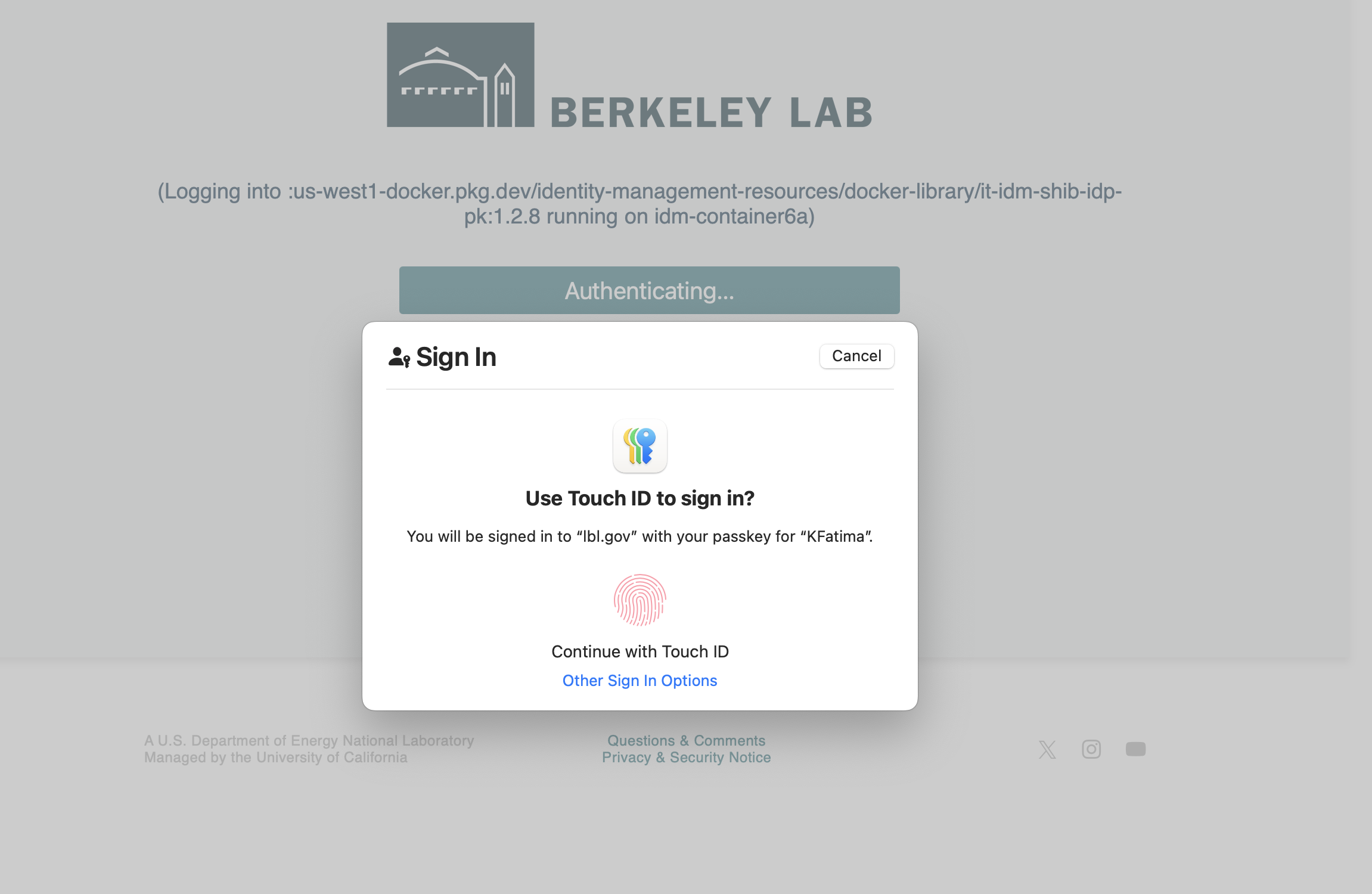
- Continue with the touch ID for Passkey stored in the Apple password/iCloud
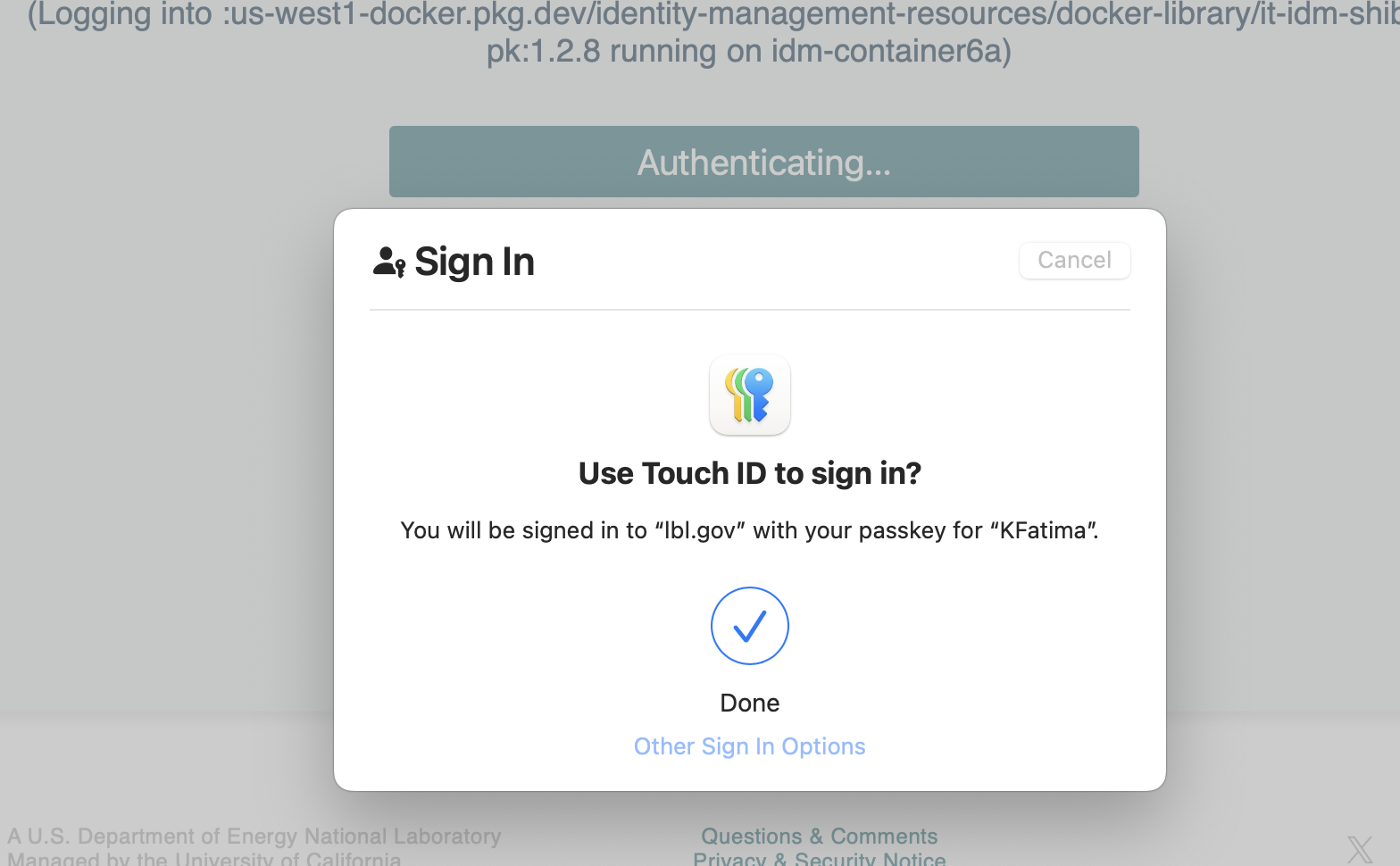
- Login was successful!
- You can now add
...
- or delete
...
- a Passkey
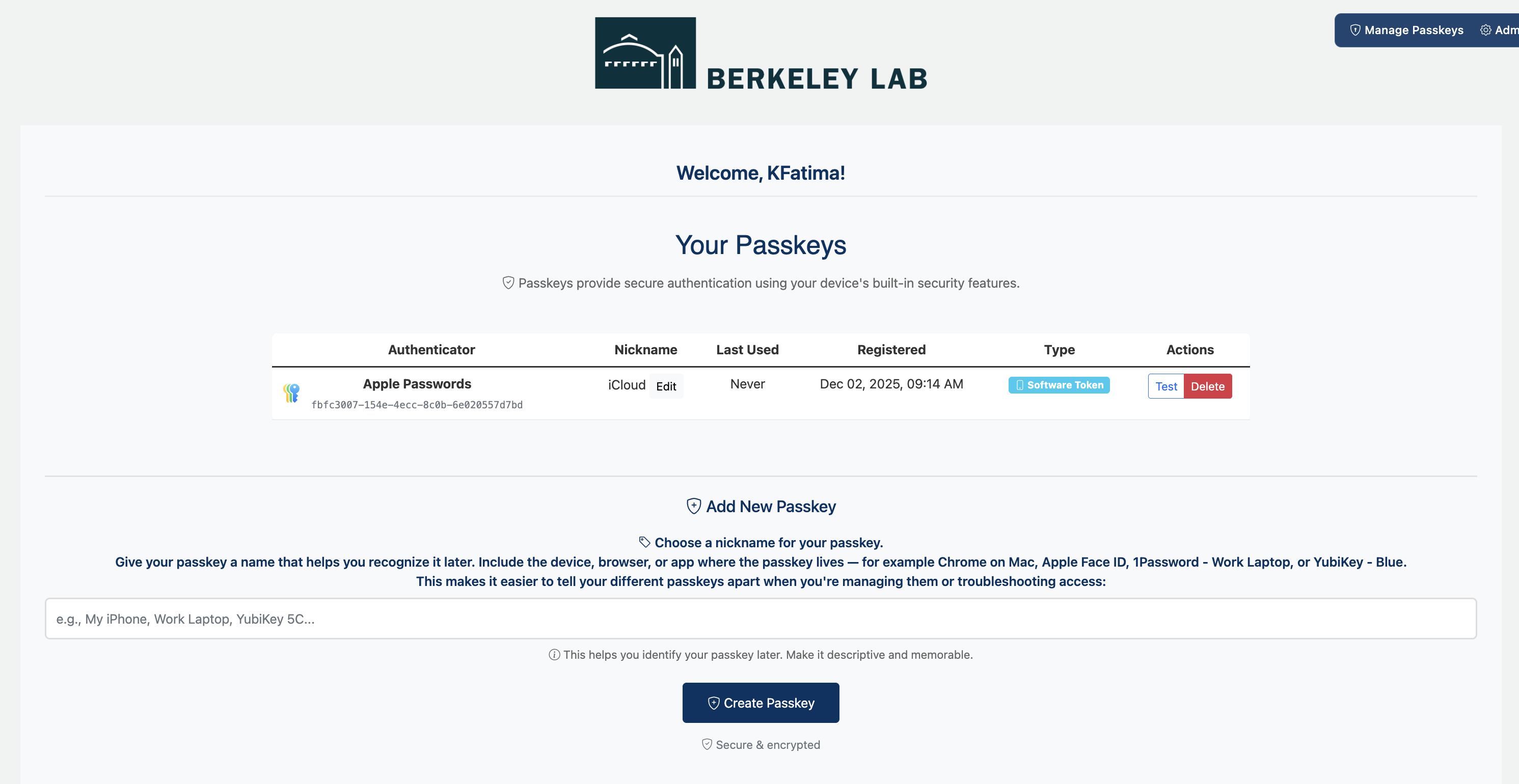
- Follow steps for creating a passkey: Creating Passkeys
